
Add-on for Adobe Express
Sequent – timelines and Gantt charts
Paste a task list and Sequent draws it on your page: task bars, milestone diamonds, a date axis and a today marker, all of it ordinary shapes and text you can keep editing. Free, with no account.
In review at Adobe Express
See it in action
The add-on at work in Adobe Express: inserting a timeline, updating one in place, and catching a date that cannot be right. Select a screenshot to open it full size.
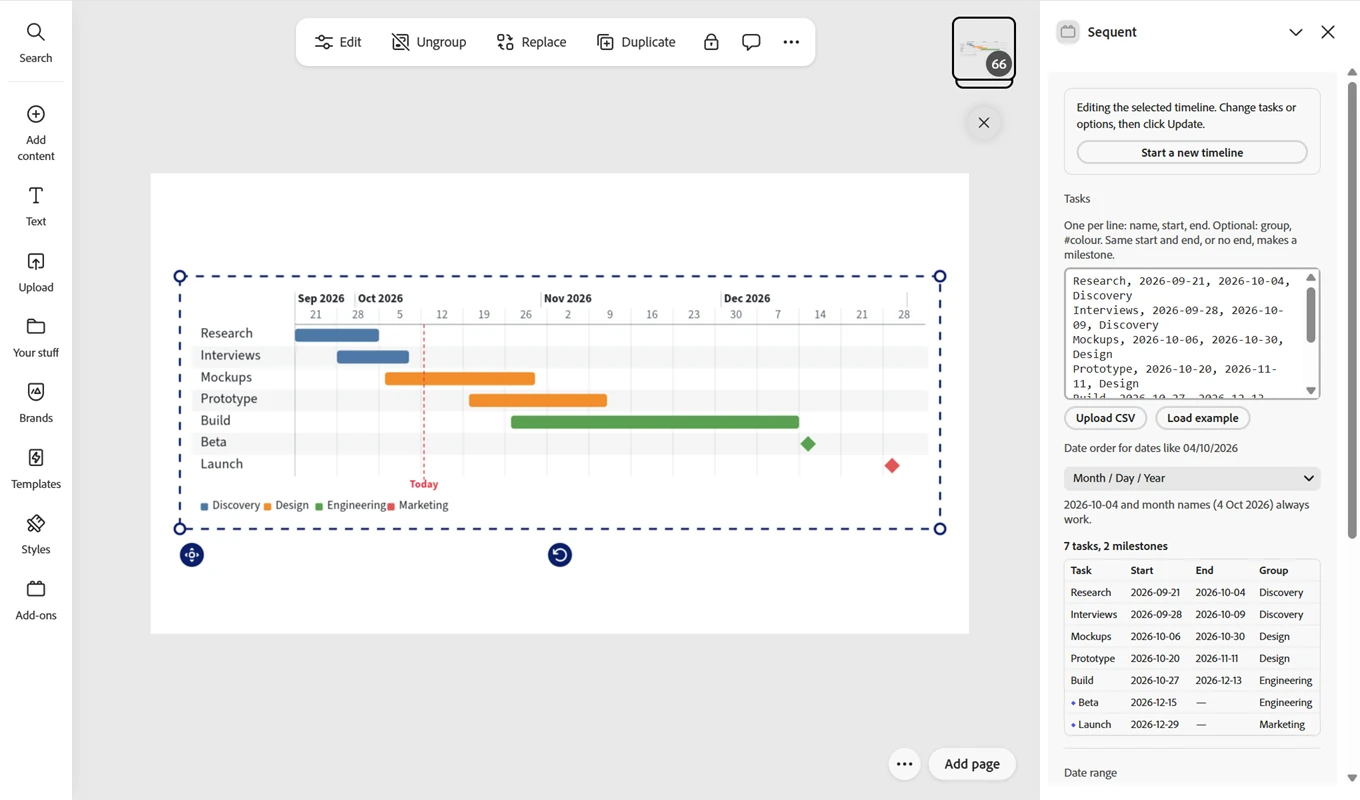
The timeline on the page, and the rows it came from 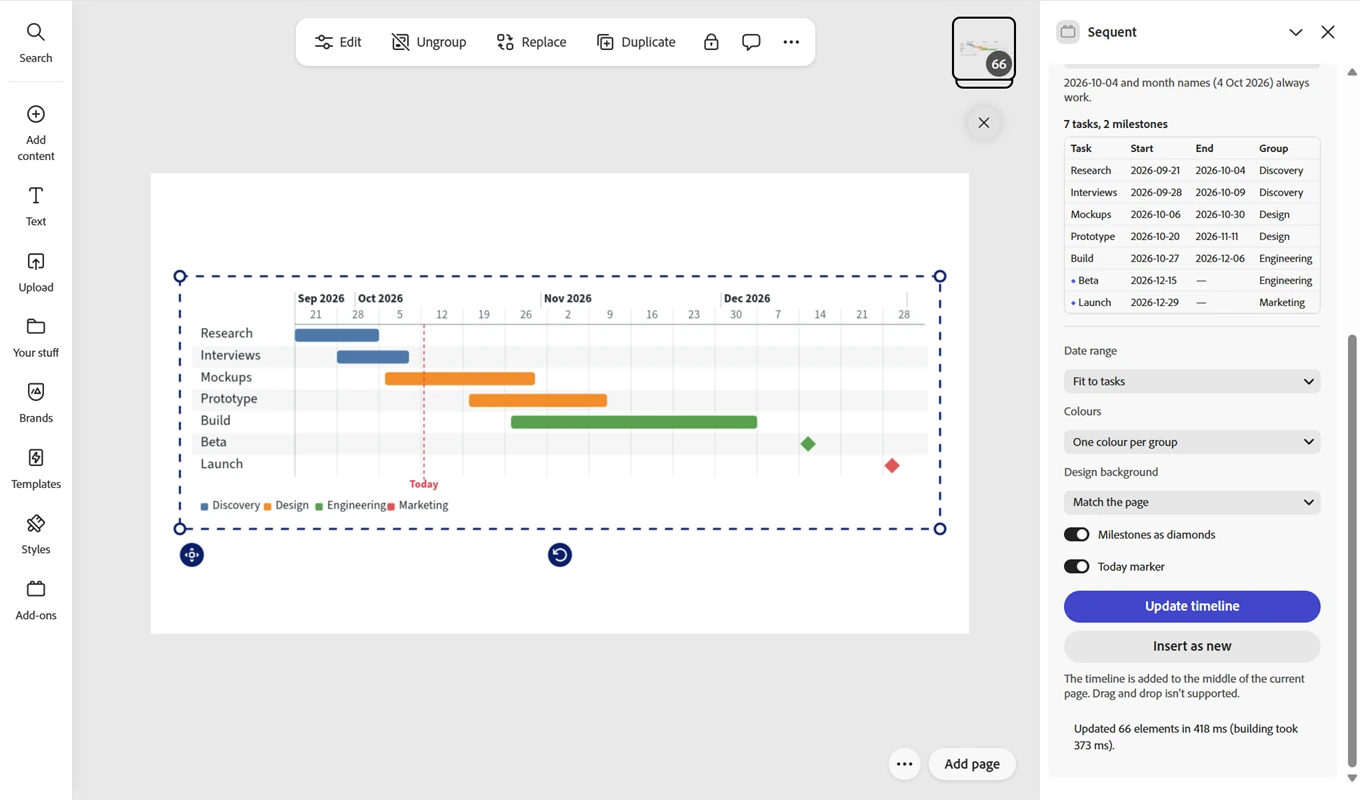
Change a date and it is redrawn where it was 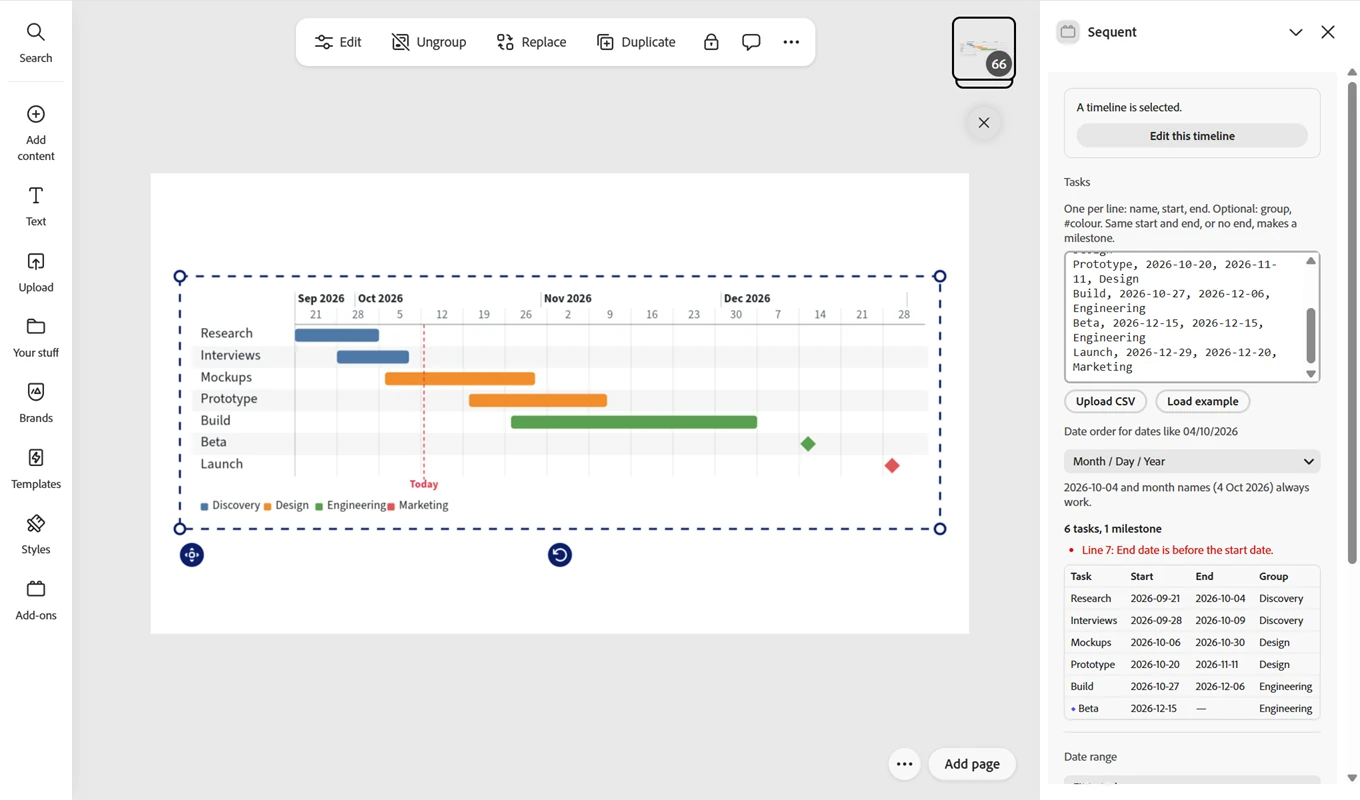
Problems named by line, before anything is drawn
What it does
One line per task: a name, a start and an end, and a group if you want colours. The rest is the add-on's job.
Paste or upload
Rows copied from a spreadsheet, typed by hand, or a
.csvor.tsvfile. A header row is skipped for you.Dates read the way you write them
2026-10-04, or 04/10/2026 in the day order you pick, or 4 Oct 2026.
Checked before it draws
A preview table lists every problem with its line number, such as an end date before a start date, and the insert waits until they are fixed.
Ordinary shapes and text
Bars, lines, diamonds and labels are regular Adobe Express objects, grouped as one. Recolour, retype or move any part of it afterwards.
Updated in place
When the plan changes, edit the rows and the timeline is redrawn where it stood, at the size you gave it.
Milestones and a today marker
The same start and end date gives a diamond instead of a bar, and a dashed line marks today.
Colour per task or per group
Give tasks a group and they share a colour and get a legend, or set one task's colour with a
#hexcolumn.Light and dark designs
Text and grid lines follow the colour of the page it lands on, or you choose them yourself.
Private by design
Sequent has no account, no server and no analytics. What you type stays in your design.
No account
Nothing to sign up for and nothing to log in to. Open the add-on and it works.
No network requests
Sequent makes none of its own. Nothing you type is sent anywhere, because there is nowhere for it to go.
No analytics or ads
No tracking, no telemetry, no advertising, no third-party code and no generative AI.
Stays in your document
Your tasks live in the timeline on your page and in the storage Adobe Express gives each add-on. They never reach us.
Omni is not affiliated with Adobe. Adobe and Adobe Express are trademarks of Adobe.