
WordPress plugin
Signupwire – sign-up forms that work with MailerLite
A sign-up form that stops working rarely says so: the key expired, the service was down, and the form went on looking fine. Signupwire connects WordPress and WooCommerce to your MailerLite account, tries again when MailerLite could not be reached, and tells you when something is wrong.
In review at WordPress.org
See it in action
The plugin as it runs inside WordPress, on a test site with invented sign-ups. Select a screenshot to open it full size.
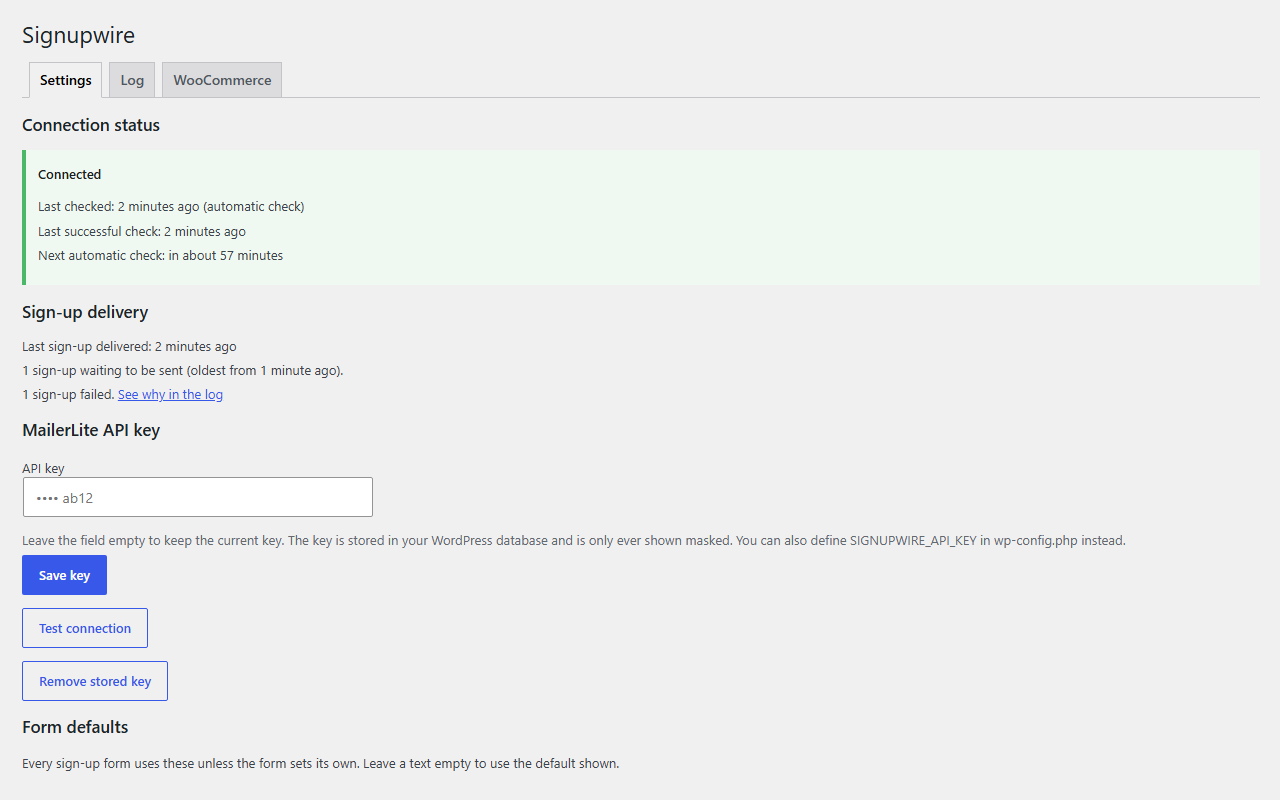
Whether the connection works, and what is waiting 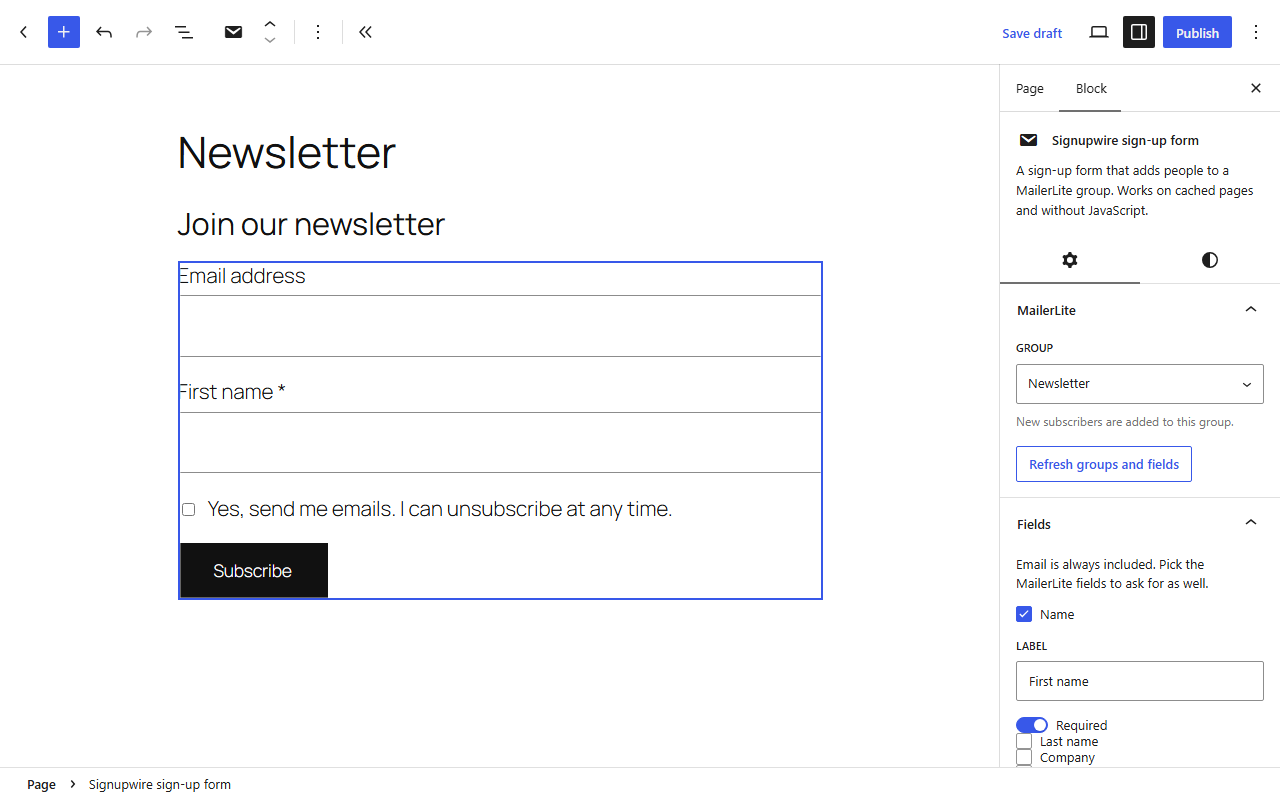
Building a form in the block editor 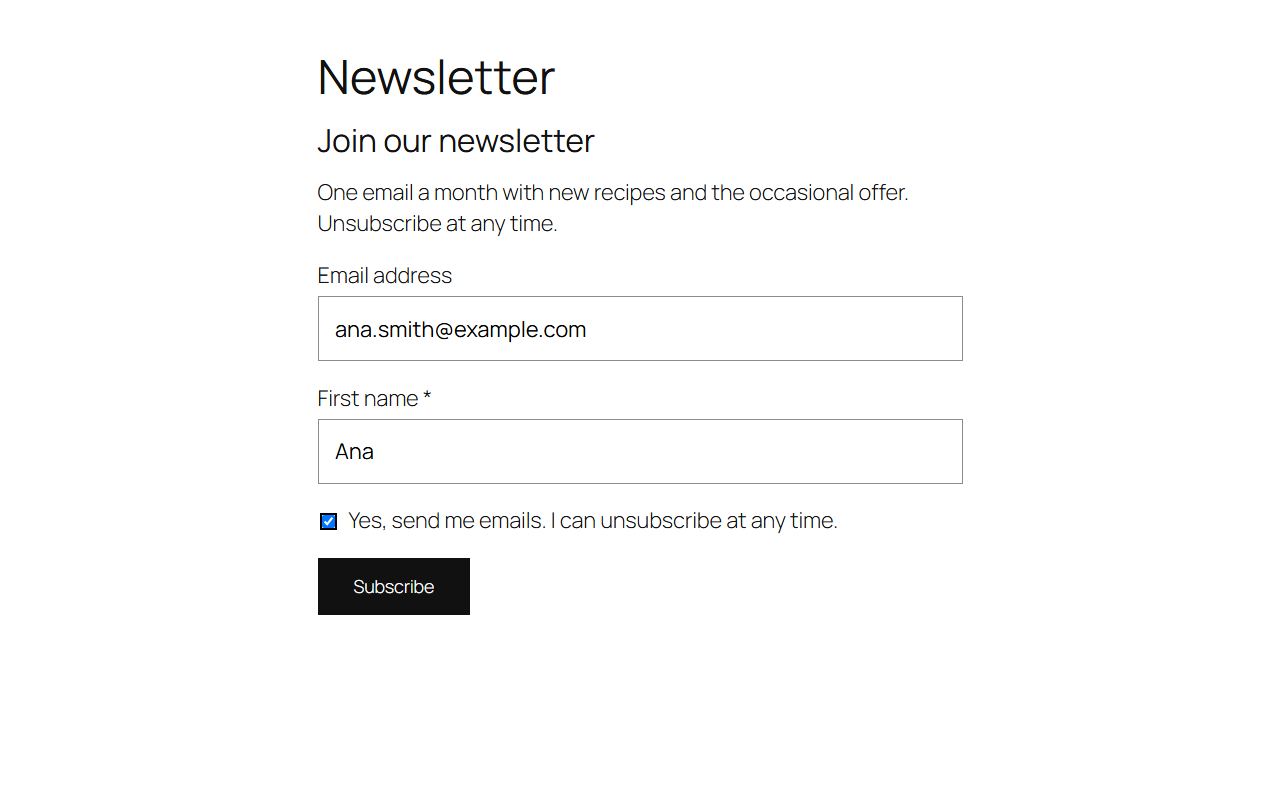
The form on the site, in the theme's own styles 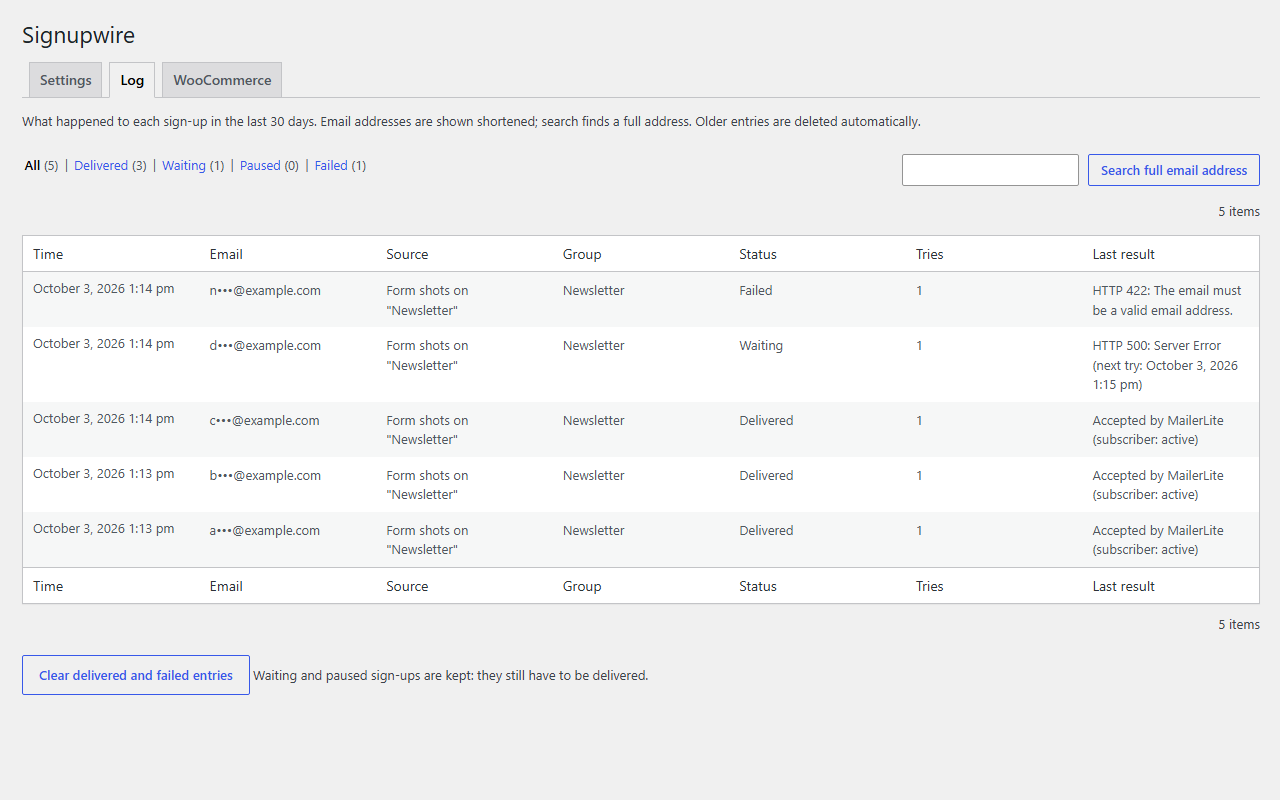
What happened to each sign-up, and why 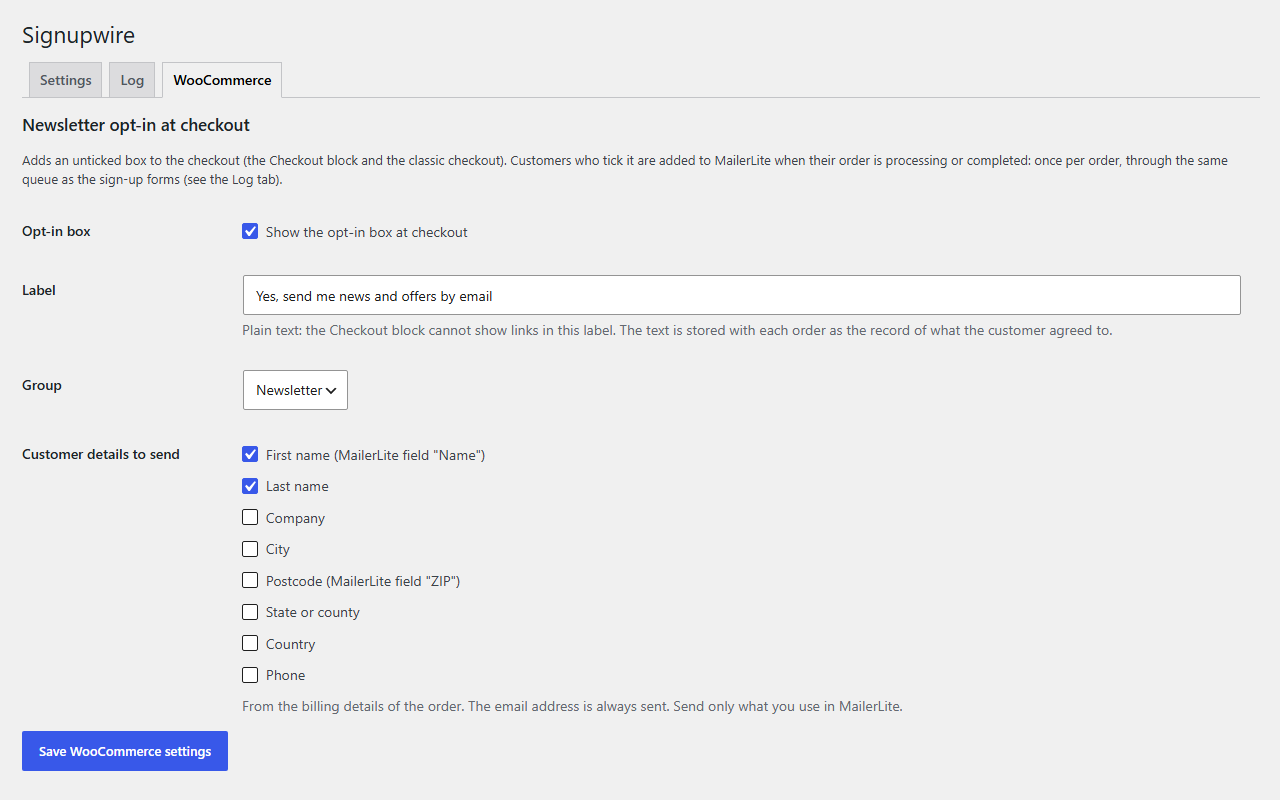
The WooCommerce checkout opt-in, and what it sends 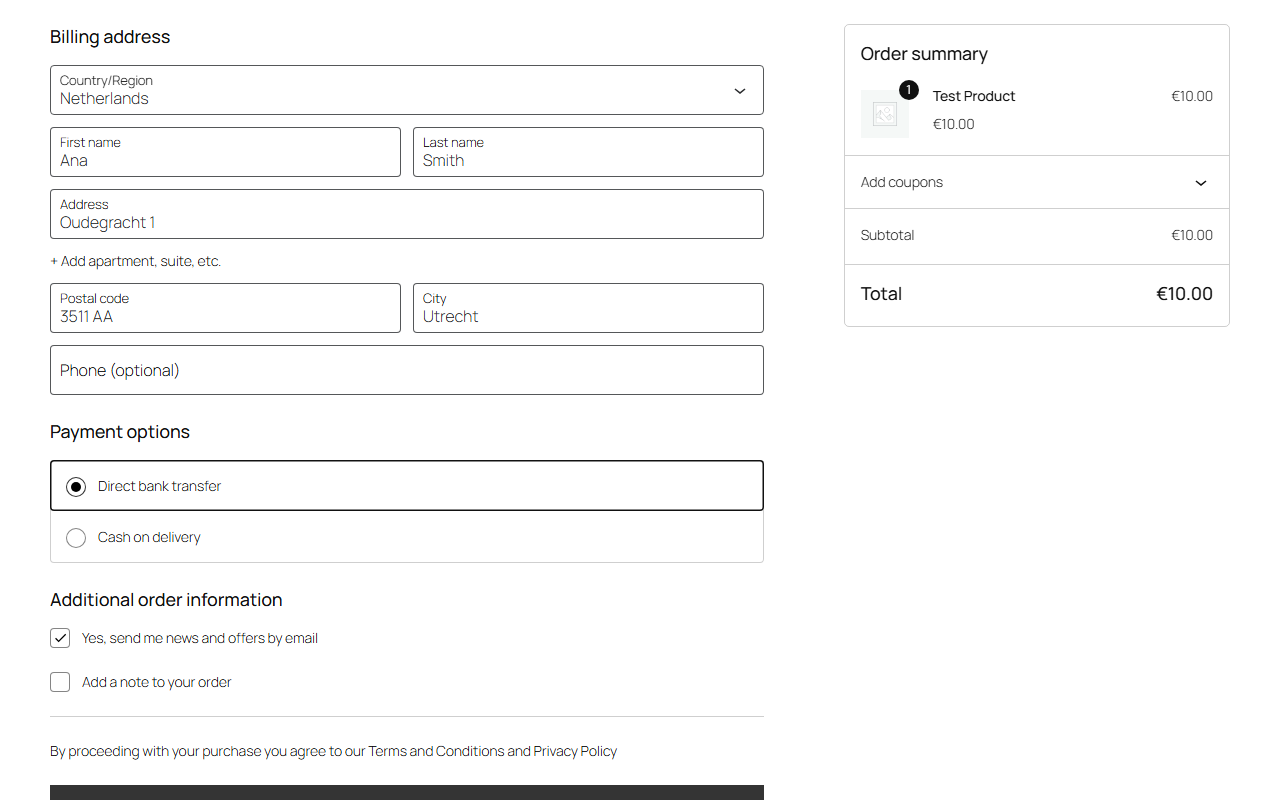
The opt-in box at checkout, ticked by the customer
What it does
A form for your pages, an opt-in for your checkout, and a record of where every sign-up went.
A form block, and a shortcode
Add the sign-up form block to a page, or use the
[signupwire_form]shortcode. You choose the MailerLite group and the fields to ask for.It follows your theme
The form sets no colours or fonts of its own. The button is styled by your theme, and the fields use the page's font unless your theme styles them itself.
Cached pages, and no JavaScript
The form works on a cached page and with JavaScript switched off. With JavaScript it sends without reloading the page.
Consent that starts unticked
A consent checkbox with your own wording. It starts unticked, and a sign-up without it is refused.
Tried again on its own
A sign-up that could not reach MailerLite is tried again after 1, 5 and 30 minutes, then after 2 and 12 hours. After that it waits in the log for you. If your API key stops working, sign-ups are held and sent once it works again.
Inside MailerLite's limits
At most 100 requests a minute where MailerLite allows 120, and it waits when MailerLite asks it to slow down.
A 30-day log
What happened to every sign-up and why, with a Retry link for the ones that failed.
A status you can read
A panel says whether the connection works and how to fix it when it does not. It is checked twice a day, and a notice appears in the admin only while something needs your attention.
A checkout opt-in for WooCommerce
Switch it on and an unticked box appears on the Checkout block and the classic checkout, with your own label. The answer is stored with the order, and a customer who ticked it joins the same queue as the form sign-ups once the order is processing or completed.
Signupwire is free and works with MailerLite only: you connect it with your own MailerLite API key. It needs WordPress 6.9 and PHP 7.4 or newer; the checkout opt-in needs WooCommerce 10.9 or newer. Customers who pay with an express button such as Apple Pay or Google Pay skip the checkout form, so they never see the box.
What it sends, and what it keeps
A sign-up form handles other people's email addresses, so here is where they go, what stays on your site, and for how long.
To MailerLite, and nowhere else
Sign-ups go to MailerLite's API with your own key. Nothing is sent to any other service, the plugin contains no tracking, and nothing leaves your site until you have entered a key.
No IP addresses
A visitor's IP address is not stored and not sent. Sign-ups per visitor are counted under a scrambled form of it, which is deleted after about two days.
30 days, and then gone
Sign-up records stay on your site for 30 days, including any that could not be delivered. They work with WordPress's Export and Erase Personal Data tools; erasing one removes it from your site, not from MailerLite.
What deleting it does
Deleting the plugin removes everything it stored: the key, the settings, the log, and the opt-in records on WooCommerce orders. The orders stay, and your MailerLite account is not touched.
Signupwire is not developed by or affiliated with MailerLite. MailerLite, WordPress and WooCommerce are trademarks of their respective owners.