
Shopify app
RestoreKit – back up and restore custom data
Restore a deleted product, collection or metaobject and Shopify gives it a new ID, so whatever pointed at the old one now points at nothing. RestoreKit snapshots your store, puts the object back, and re-links what referenced it.
In review at the Shopify App Store
See it in action
The app as it runs inside the Shopify admin, on a development store. Select a screenshot to open it full size.
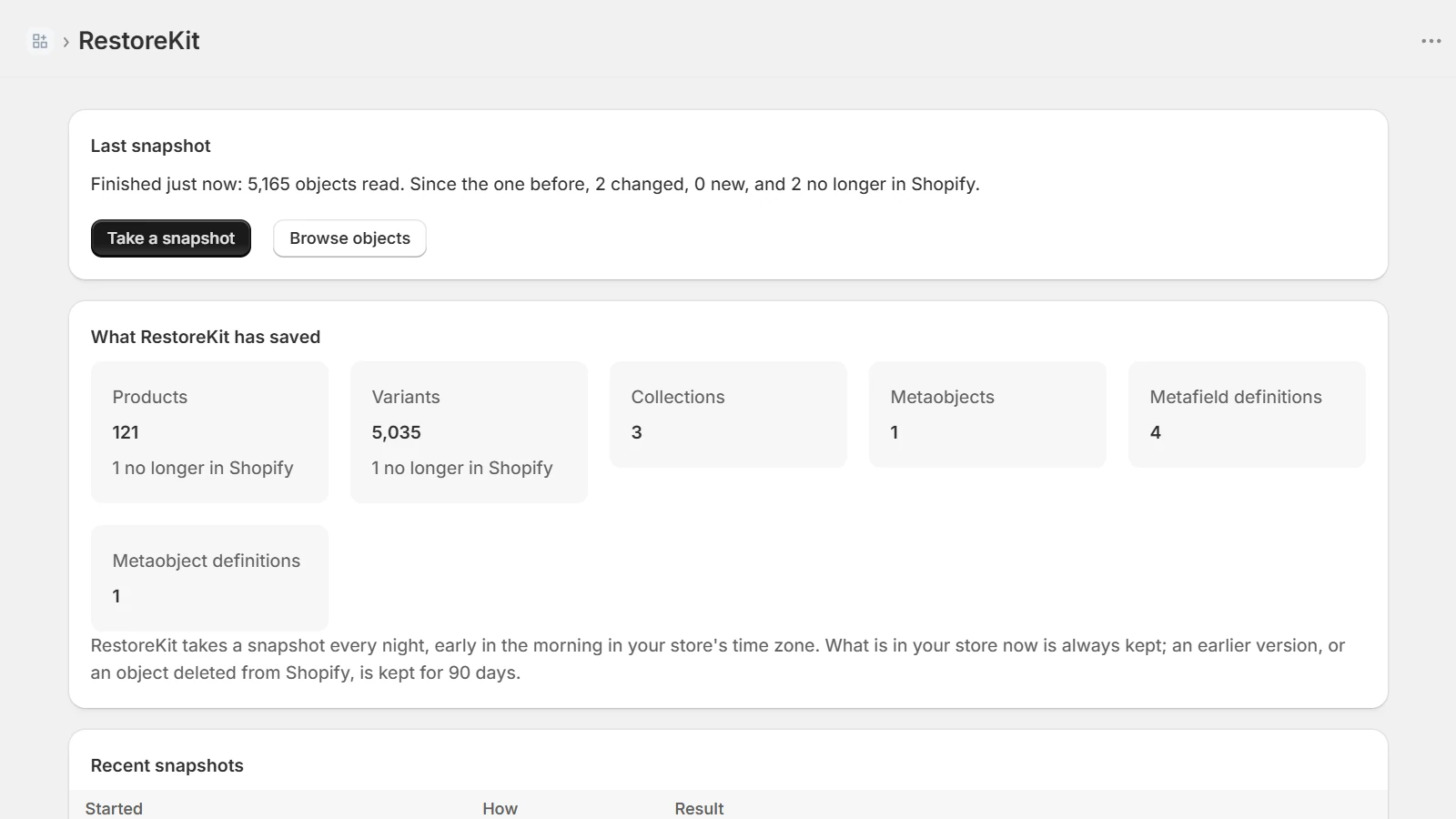
What it has saved, and what is no longer in Shopify 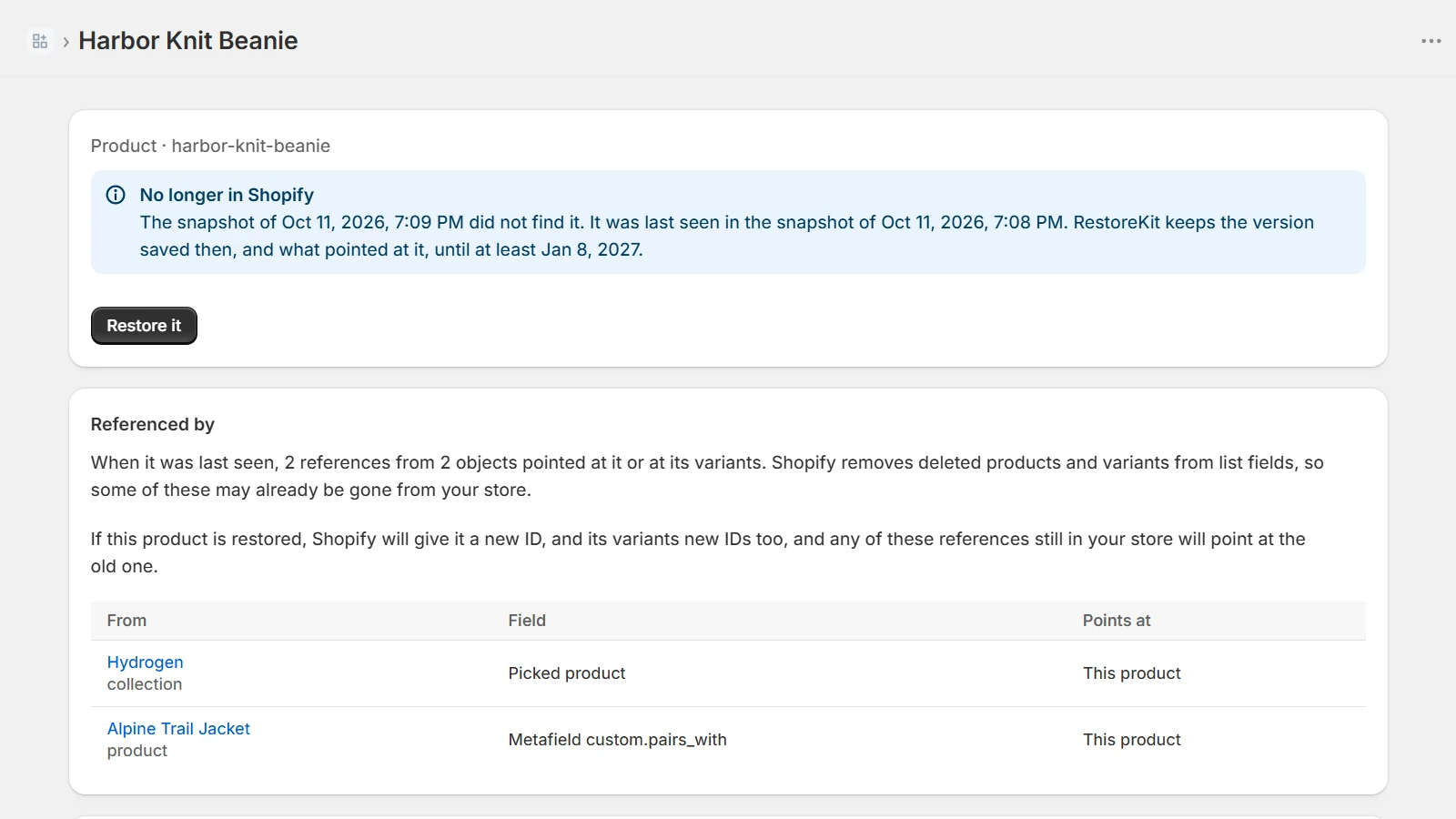
A deleted product, and everything that pointed at it 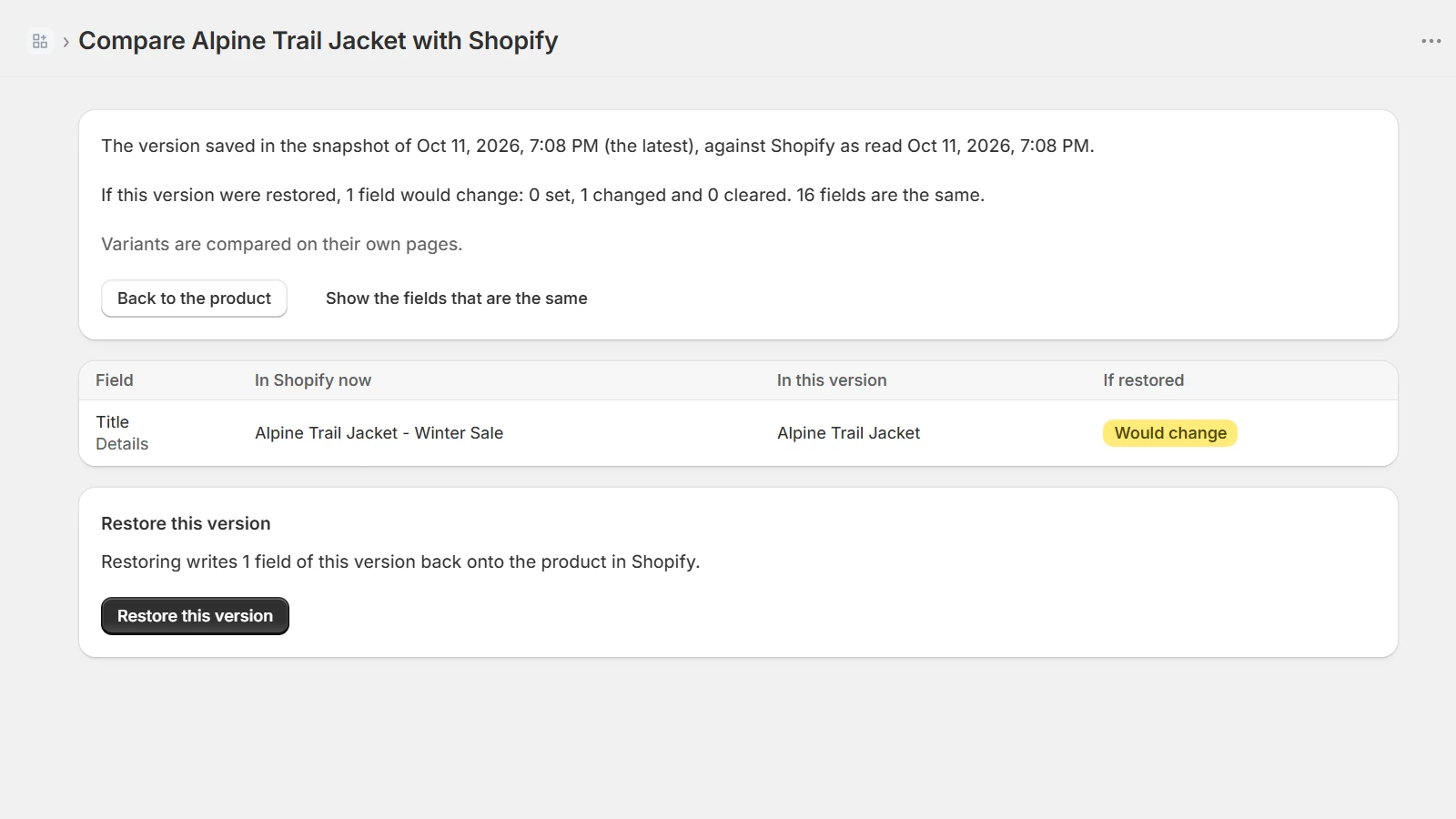
A saved version against the store, field by field 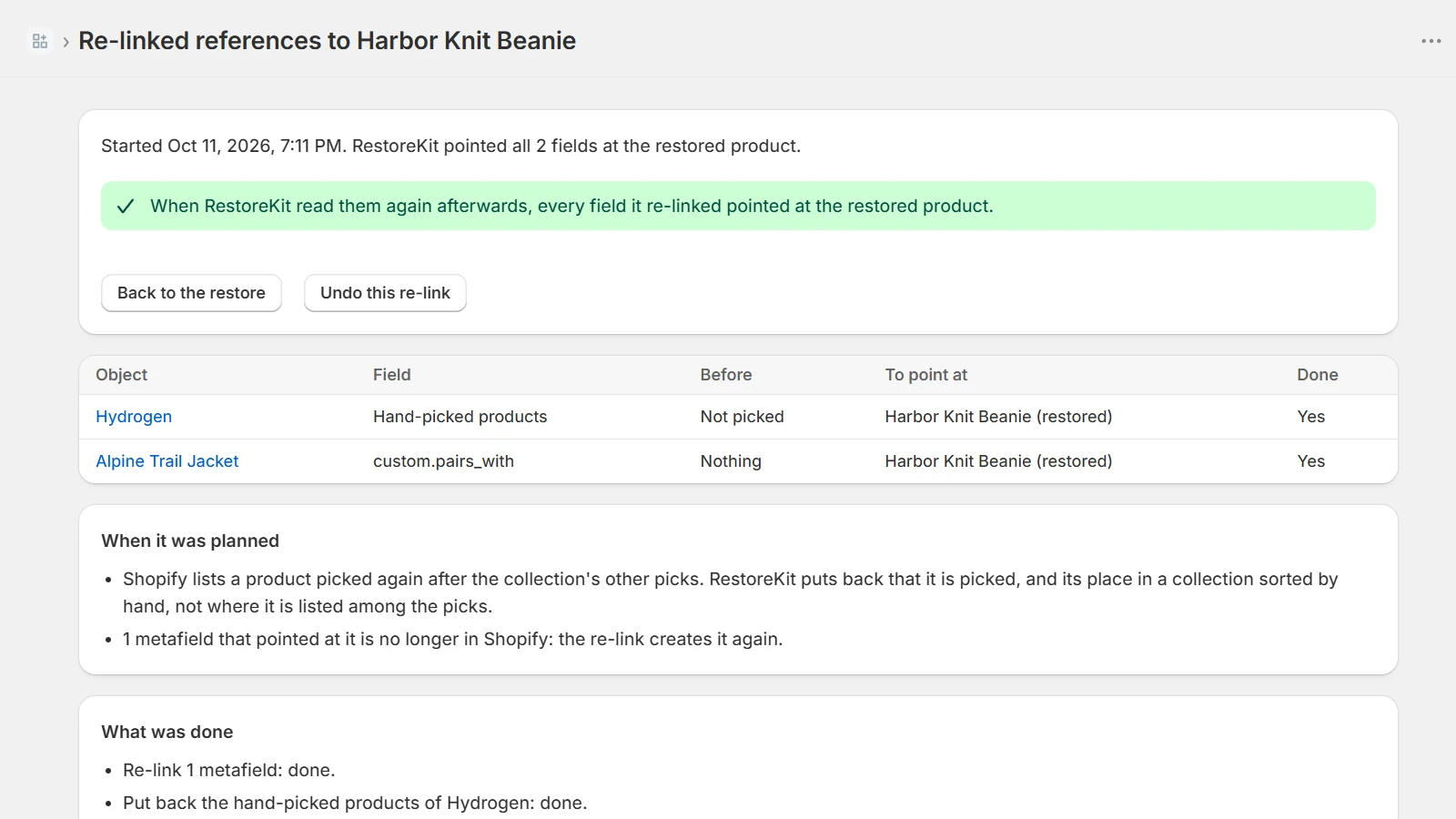
What a re-link wrote, place by place 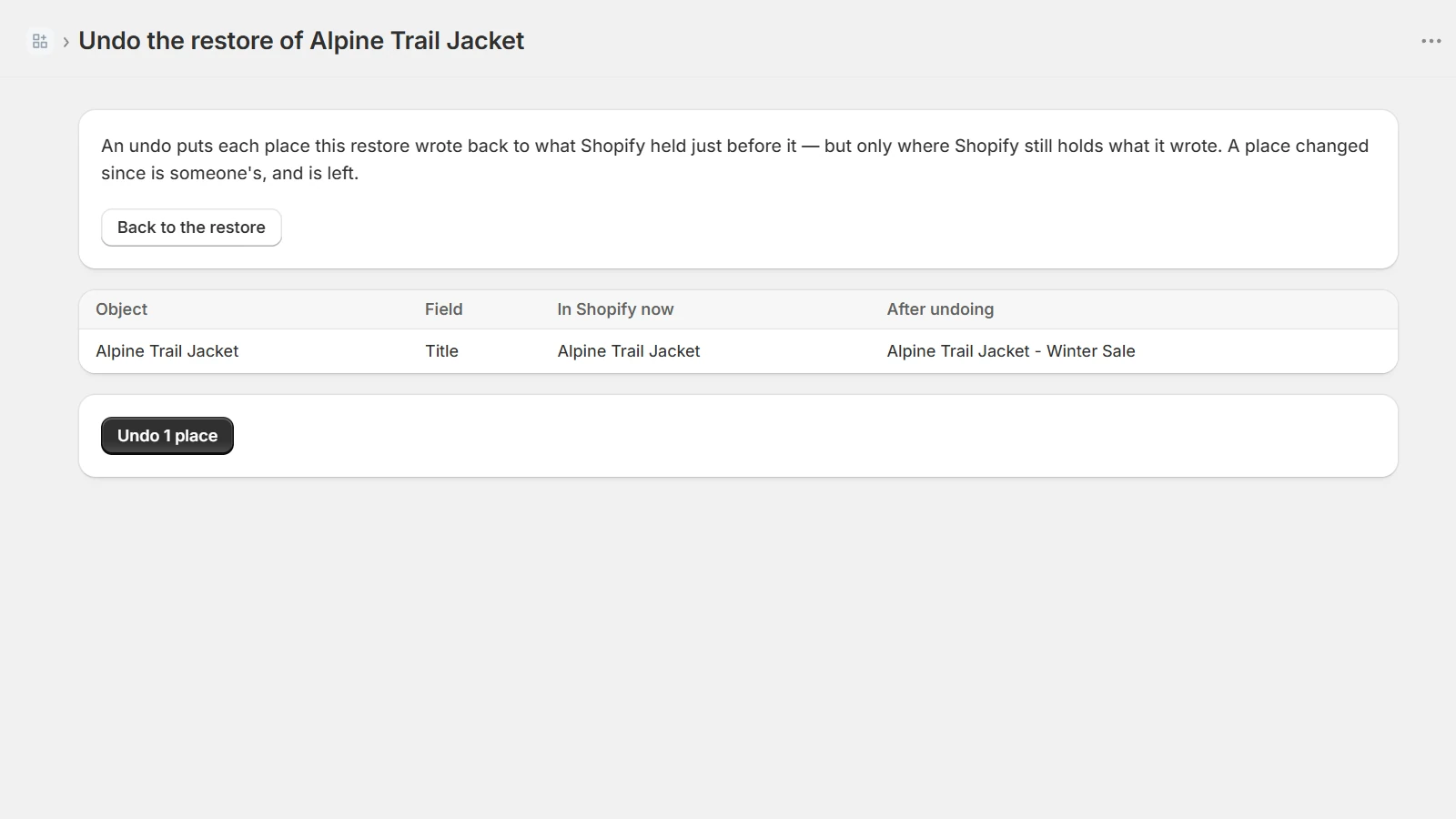
An undo, shown before it runs
What it does
Snapshot your products and custom data every night, then compare, restore, re-link and undo.
Snapshots on a schedule
At install, every night early in your store's time zone, and whenever you press the button.
Compare before you touch anything
A saved version against the store, field by field: what is set, what changed, what would be cleared, and what is already the same.
Restore what is gone
Products, variants, collections and metaobjects. One that still exists is written back in place; one that was deleted is created again.
Re-link what pointed at it
A re-created object gets a new ID from Shopify. RestoreKit points the metafields, metaobject fields and collection picks that referenced the old one at the new one.
Definitions, with what hangs off them
Restore a metafield or metaobject definition together with the values that depend on it.
Undo, after seeing what it does
A restore and a re-link can both be undone, and the screen lists every place it will write and what goes back there first.
Product media and stock levels are not saved.
What it costs
Both plans do everything above. The only difference is how far back you can go.
Free
7 days of history
Snapshots, comparing, restoring, re-linking and undo, with the versions you have replaced and the objects you have deleted kept for a week.
Standard
$9.99 a month
The same app with 90 days of history: three months to notice that something went missing, rather than a week.
What it keeps
A backup app holds a copy of your store, so here is exactly which copy, for how long, and what happens to it when you leave.
Your catalogue, not your customers
RestoreKit asks Shopify for products and metaobjects only. It reads no customer records and no orders, and it sells and shares nothing.
History, and then gone
What your store holds now is kept for as long as the app is installed. Replaced versions and deleted objects go after 7 days on Free and 90 days on Standard, and never later.
A record of every write
Each restore, re-link and undo is kept with what Shopify held before it, what was written, and what Shopify held after. That record is what an undo puts back.
What an uninstall does
Uninstalling deletes the access token straight away. Shopify then sends its shop/redact request, and that deletes every row the store has.