
Shopify app
Fieldloader – bulk edit variant metafields by CSV
Shopify's product CSV import drops a variant metafield column without saying so: the import reports success and the values are not there. Fieldloader exports the field instead, takes your edited file back, and shows what would change before it writes anything.
See it in action
The app as it runs inside the Shopify admin, on a development store of 5,032 variants. Select a screenshot to open it full size.
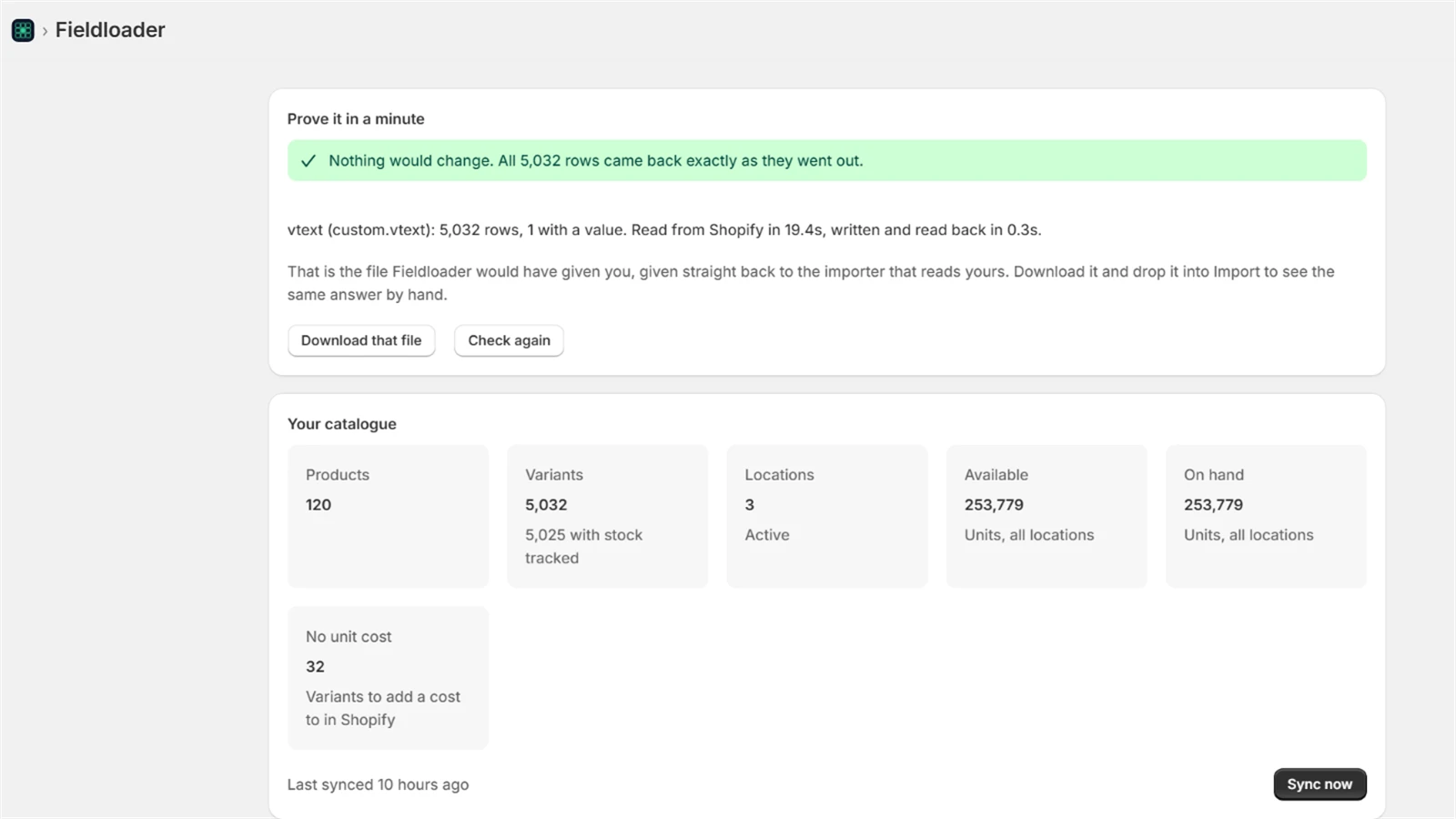
The first run: the file goes out and comes back unchanged 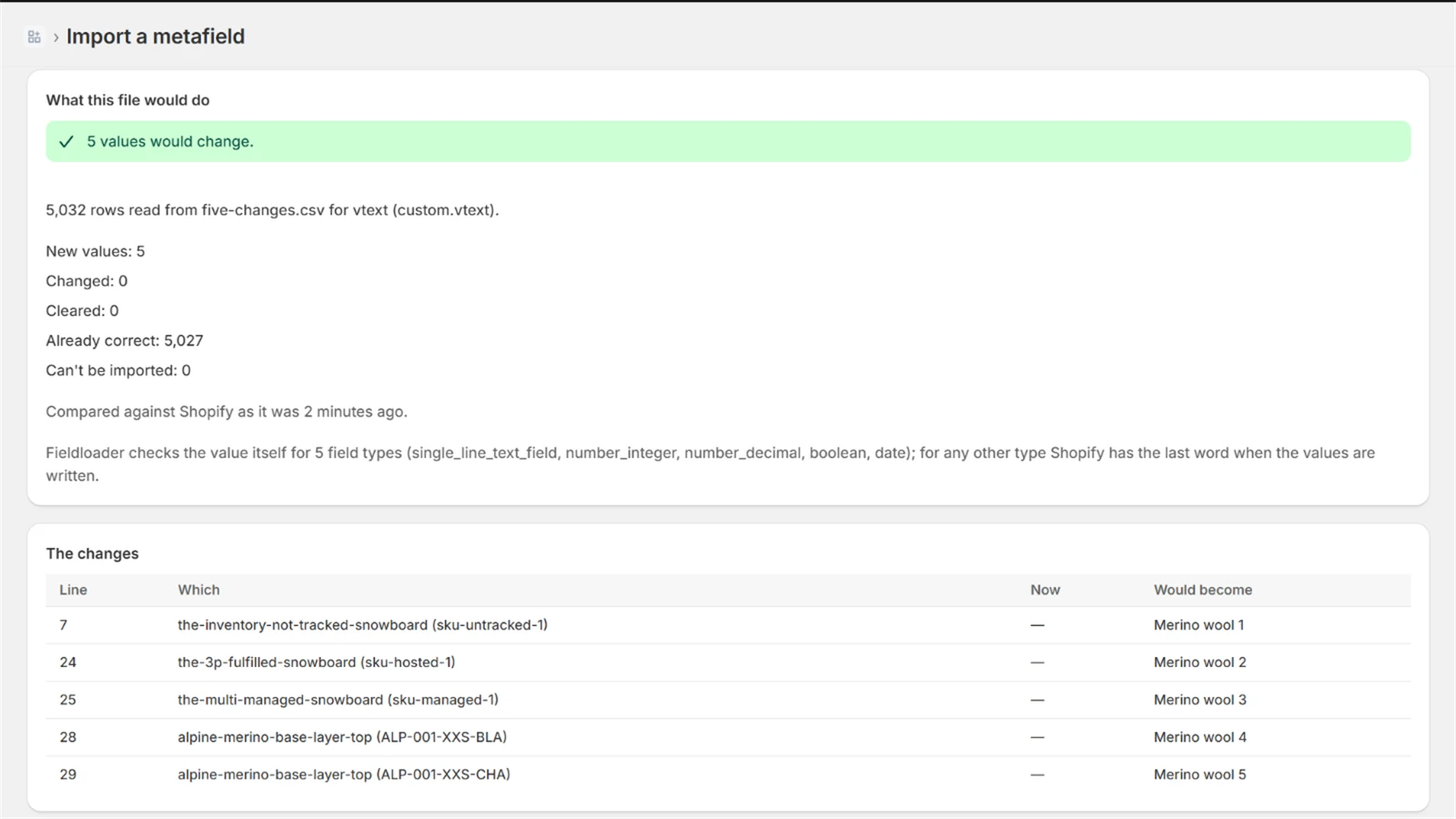
What the file would do, before it does it 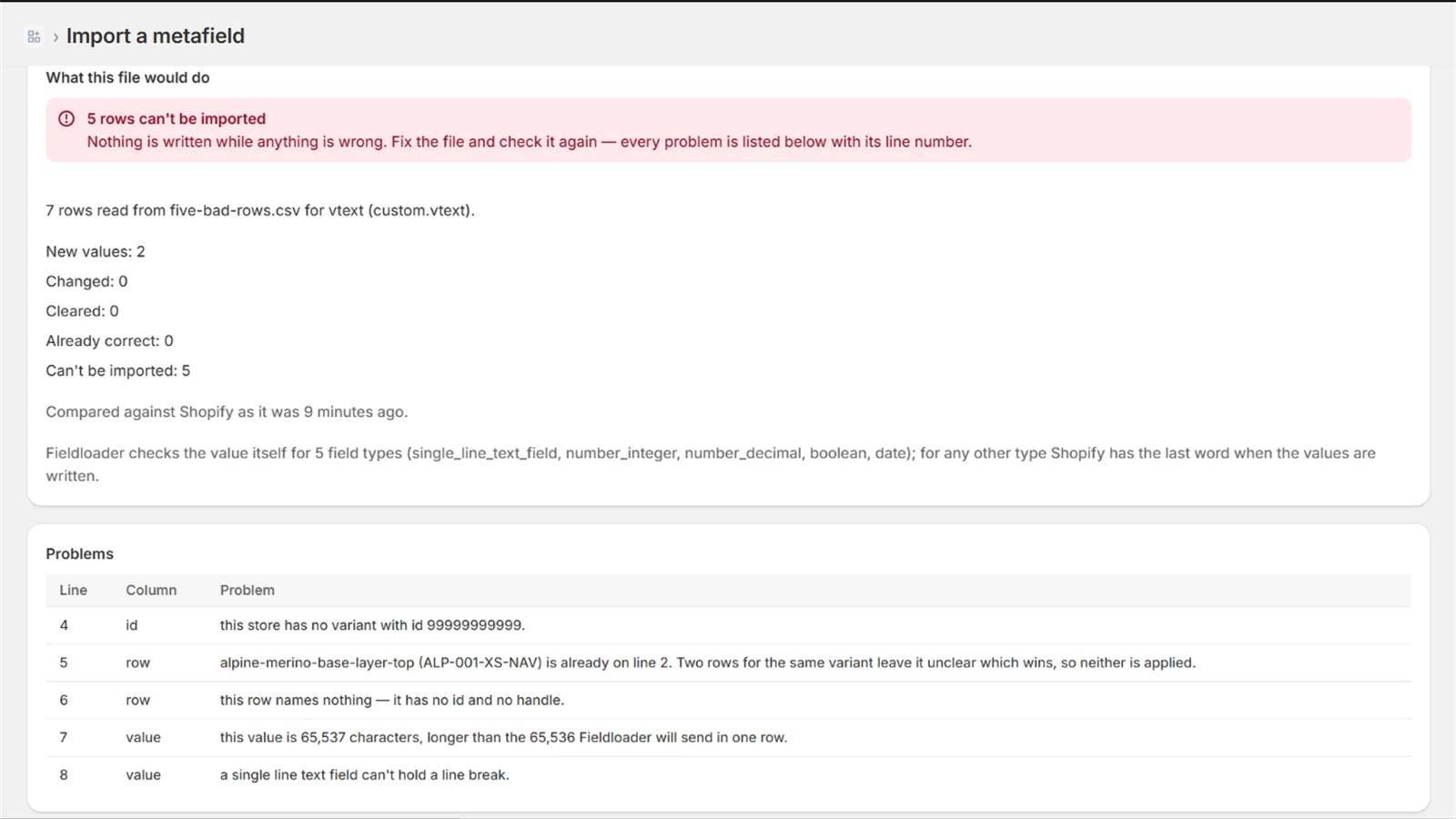
Every bad row, with its line and the reason 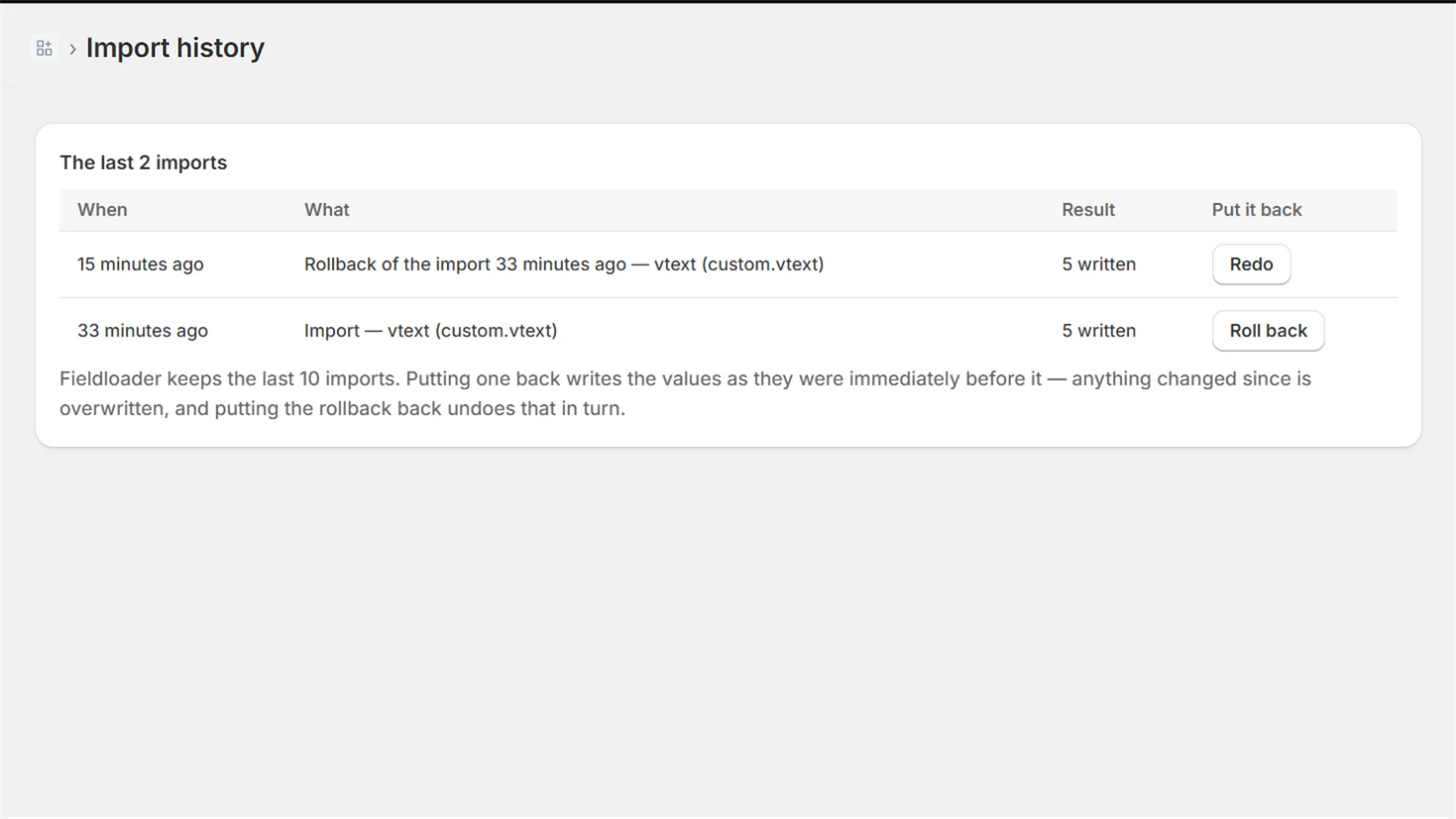
Ten imports back, each with a way out 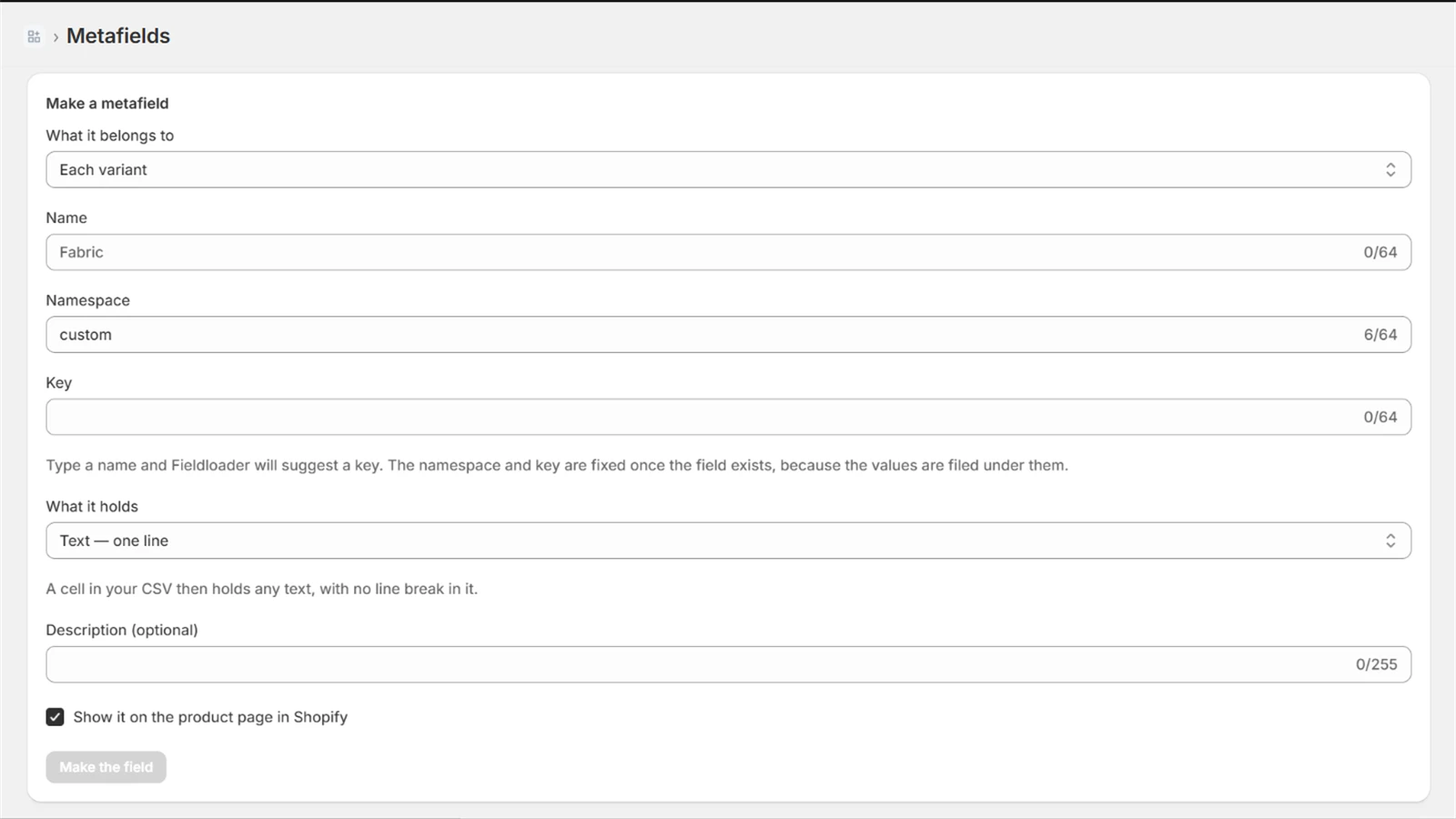
Making the field itself, without leaving the app
What it does
Export one metafield, edit the file, send it back — and see the whole of what it would do first.
A row for every variant
The export is one row per variant, including the ones with no value yet: id, handle, sku, value. The id leads because it is the only column that identifies a row for certain.
Edited where you already work
Open it in Excel or Google Sheets and send it back. A file saved with semicolons, the way Excel does on a Dutch or German computer, is read as it is.
The diff, before anything is written
How many values are new, changed, cleared and already correct — counted against what Shopify holds right now — with every changed row listed by line.
Bad rows named, never dropped
A row that cannot be imported is listed with its line, its column and what is wrong with it, and nothing is written while anything is wrong.
Undo in one click
Every import is kept with the values as they were just before it. Roll it back and those go in again; put the rollback back and you are where you were. The last ten imports are kept.
Product metafields too
Variant metafields are the ones Shopify's CSV will not carry, but a product metafield goes through the same export, diff and rollback.
A rollback writes the values back as they were immediately before its import, so a value edited in the admin since is overwritten. The screen says so before you press it, and putting the rollback back undoes that in turn.
What it costs
Both plans do everything above. The only difference is how many values one import may write.
Free
500 values per import
Values written, not rows in the file — so exporting five thousand rows, filling in twenty and sending the whole file back stays free. Exporting, checking a file and rolling an import back are never counted.
Standard
$19 a month
The same app with no limit on the values an import writes. A file holds up to 50,000 rows on both plans.
Before you install
A store to look around, a page about the file, and an address to write to.
The demo store
Twelve products, sixty-two variants and four variant metafields, all written by Fieldloader. fieldloader-demo.myshopify.com — opened from the App Store listing, Shopify lets you past its password page; from anywhere else it asks for one.
What the file looks like
The app's own help page walks through a CSV of variant metafields, column by column: bulk edit variant metafields with a CSV.
Support
Questions, or a file that will not import the way you expect: hello@askomni.app. The same address the listing gives.